

LIST: Here are the banks, credit cards supported by Google Pay in PH
Filipinos eager for more flexible digital payment choices now have more options as Google Pay has officially arrived in the Philippines.
After much anticipation, the Google Wallet app was launched in the country on Nov. 18, allowing users to store their credit and debit cards and make secure contactless payments through the Google Pay feature.
Google Pay safely keeps your credit or debit card information, allowing you to make payments using a digital version of your card on your Android phone instead of the physical one.
Android phones with NFC chips will be able to use the tap-to-pay function in stores, restaurants, and other establishments. Payment cards from Google Wallet can also be used for online shopping.
To keep your card details safe, Google sends a virtual account number to the merchant instead of your actual details, so you know your information is safe. This app is free of charge to all users.
Planning to use Google Pay? Below is the list of banks and cards supported by the service.
- China Banking Corporation - Mastercard credit cards, Visa credit and debit cards
- East West Banking Corporation - Mastercard credit cards and Visa credit cards
- GCash - Mastercard debit cards
- GoTyme Bank Corporation - Visa debit cards
- Maya Bank, Inc.- Visa credit cards
- RCBC - Mastercard credit cards and Visa credit cards
- UnionBank - Visa credit and debit cards
- Wise Pilipinas - Visa prepaid cards
- Zed Financial PH, Inc. - Mastercard credit cards
According to Google, your bank decides if its cards work with Google Wallet. They can restrict any of their cards from making mobile payments.
If your bank isn't listed or your card can't be set up for mobile payments, you may opt to call the phone number on the back of your card to offer your bank feedback.
How to set up your Google Wallet
If you’re excited to try Google Pay for yourself, you can set up your Google Wallet by downloading the app on the Play Store. You will then be asked which Google account you want to use if you have multiple of them.
Click the "+" sign at the bottom to add your payment card details to your wallet. You can also add public transport cards, loyalty cards, and gift cards.
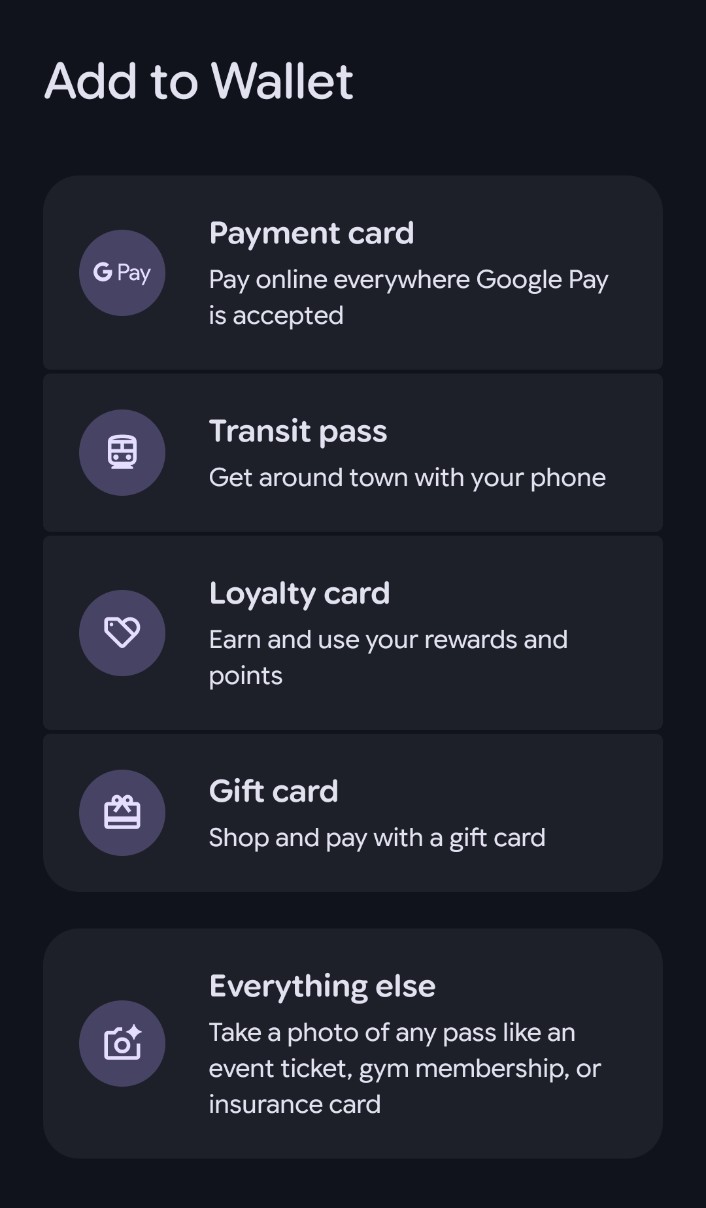
When adding a payment card, you can take a picture of your card to upload your details automatically or enter your details manually.
After you've finished, tap "Save and continue" and read the Issuer Terms. Once you've accepted, you may be asked to verify your payment method, but otherwise, you're good to go.
You can use your Google Wallet in stores where you see the Google Pay symbol, the contactless symbol (four curved lines), or the "Buy with Google Pay" button. Simply hold your device near the card reader in stores and wait for the checkmark. If you don't have your phone with you, the app is also available on tablets and even smart watches.
Google Wallet can also carry boarding passes from Philippine Airlines, AirAsia, Cathay Pacific, Jetstar, Malaysia Airlines, Singapore Airlines, Scoot, Thai Airways, tickets from Trip.co, Ticket2me, and Ticketnet, IKEA loyalty cards, and Mang Inasal vouchers.
Additionally, you can tap to pay with the app at the MRT-3.
As of 2025, the app is available to use in over 80 countries.